Make a corner yours
Assign Task View, desktop switching, screenshots, media controls, an app, a folder, a URL, or a local command.
 SUBZERO / HOT CORNERSGet the preview
WINDOWS 11 · PUBLIC PREVIEW
Move your pointer to a corner. Let Hot Corners open the view, app, or action you need—without breaking your flow.
Free during preview · Windows 11 x64 · No account required
THE IDEA
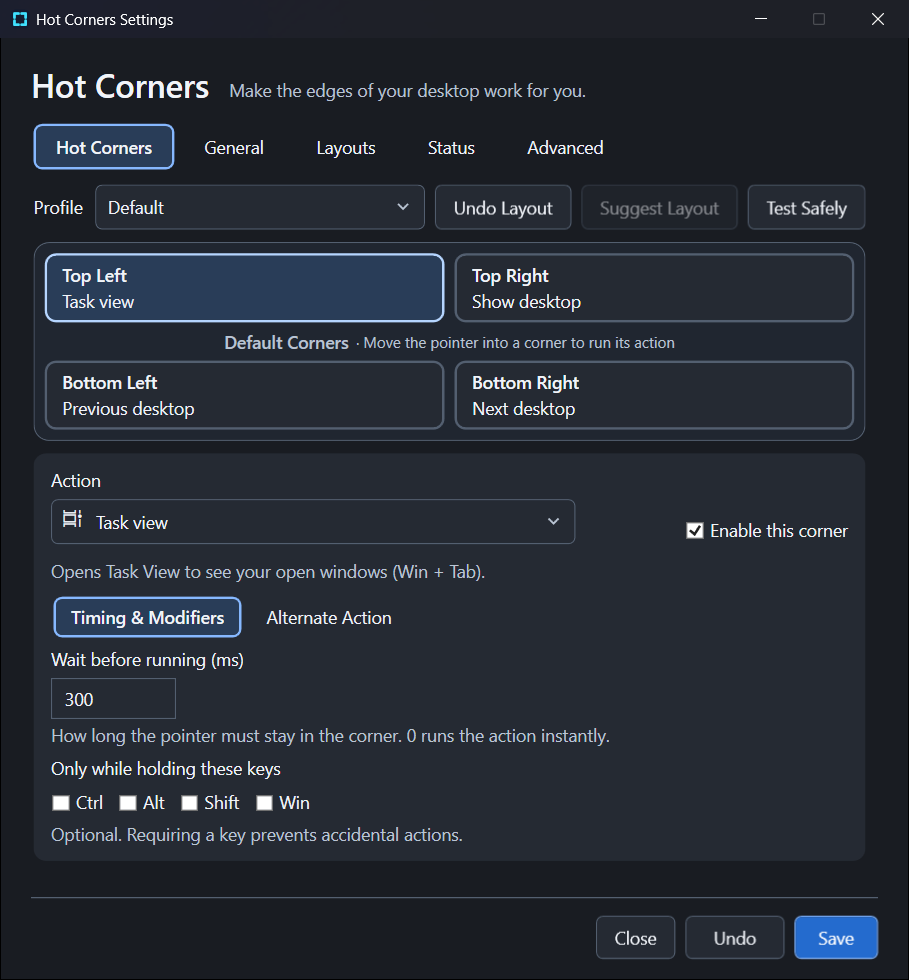
SubZero Hot Corners puts useful actions at the most reliable targets on your screen: its corners. A quick move can bring up Task View, show your desktop, switch spaces, or start something you choose.
It stays in the notification area and gives you control over when a corner should respond.
Assign Task View, desktop switching, screenshots, media controls, an app, a folder, a URL, or a local command.
Choose instant activation or a dwell, add modifier keys, and tune corner size and cooldown to suit your movement.
Use named profiles and per-display corner layouts. Outside-edge placement respects the shape of your desktop.
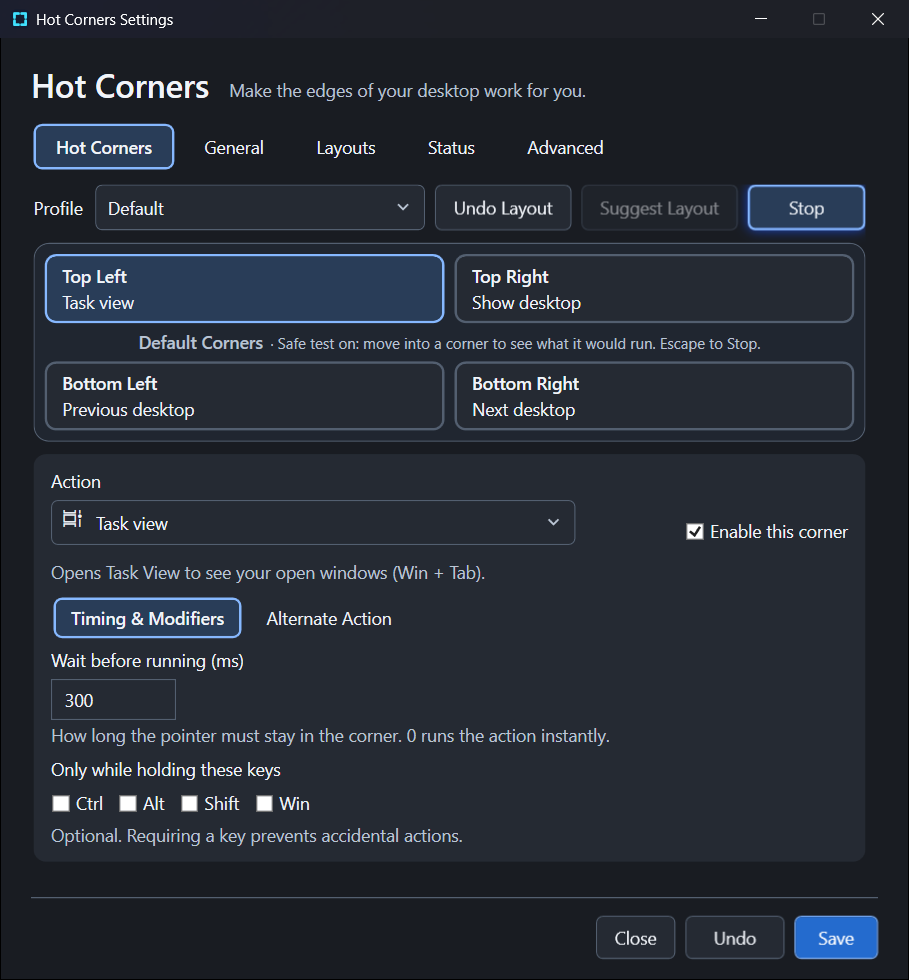
Test Safely shows what a corner would run and its dwell progress without executing an action.
INSIDE THE APP
Actual screens from the Windows preview, showing the controls you’ll use to configure actions, timing, and layouts.
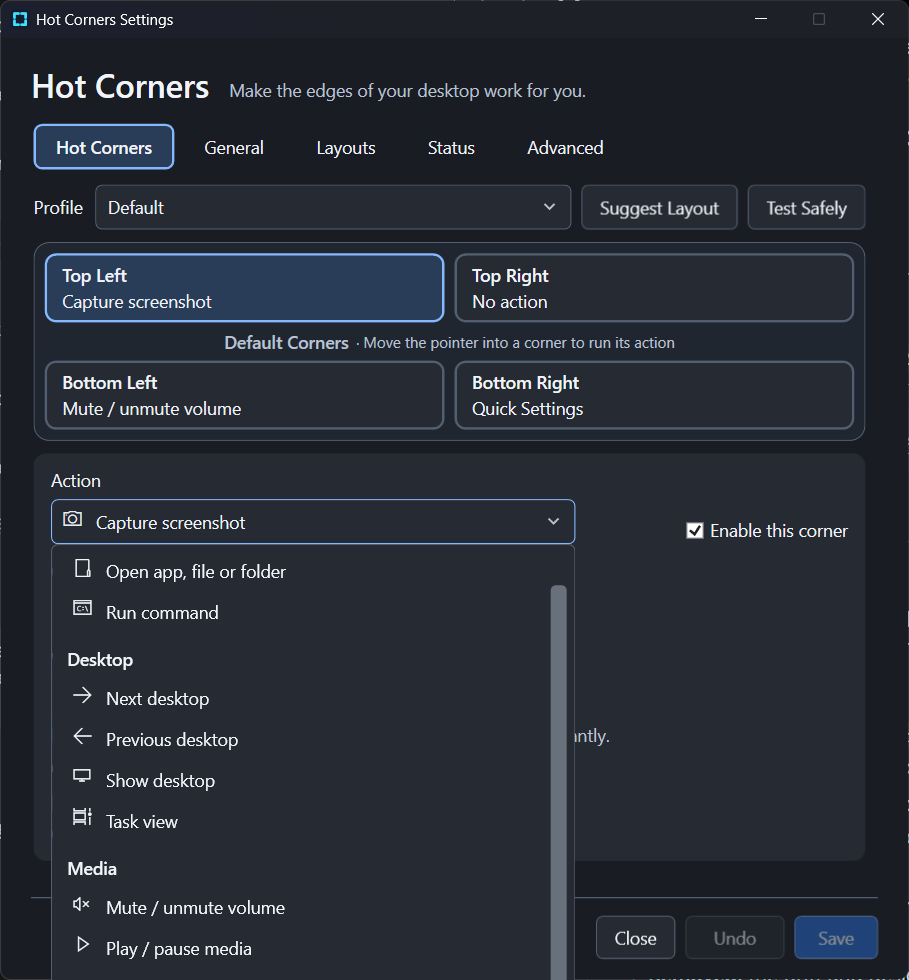
Desktop, media, Windows, and custom actions live in one grouped menu.
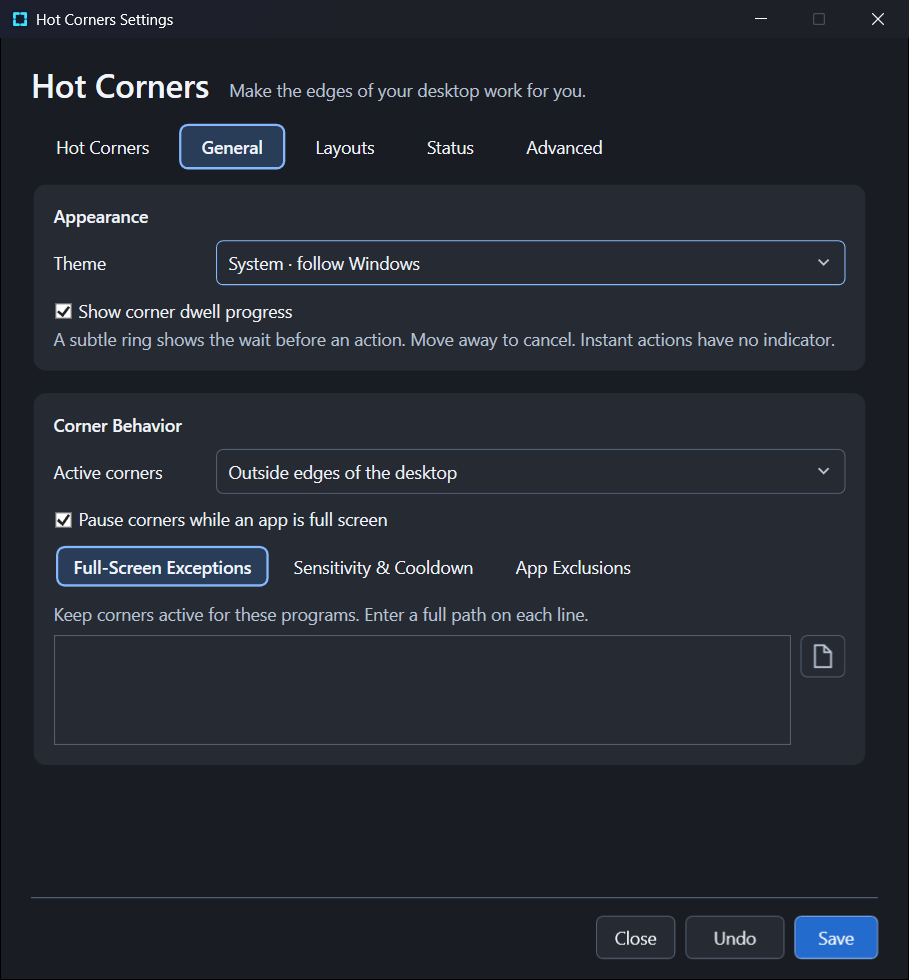
Choose your theme, dwell feedback, and how corners behave around full-screen apps.
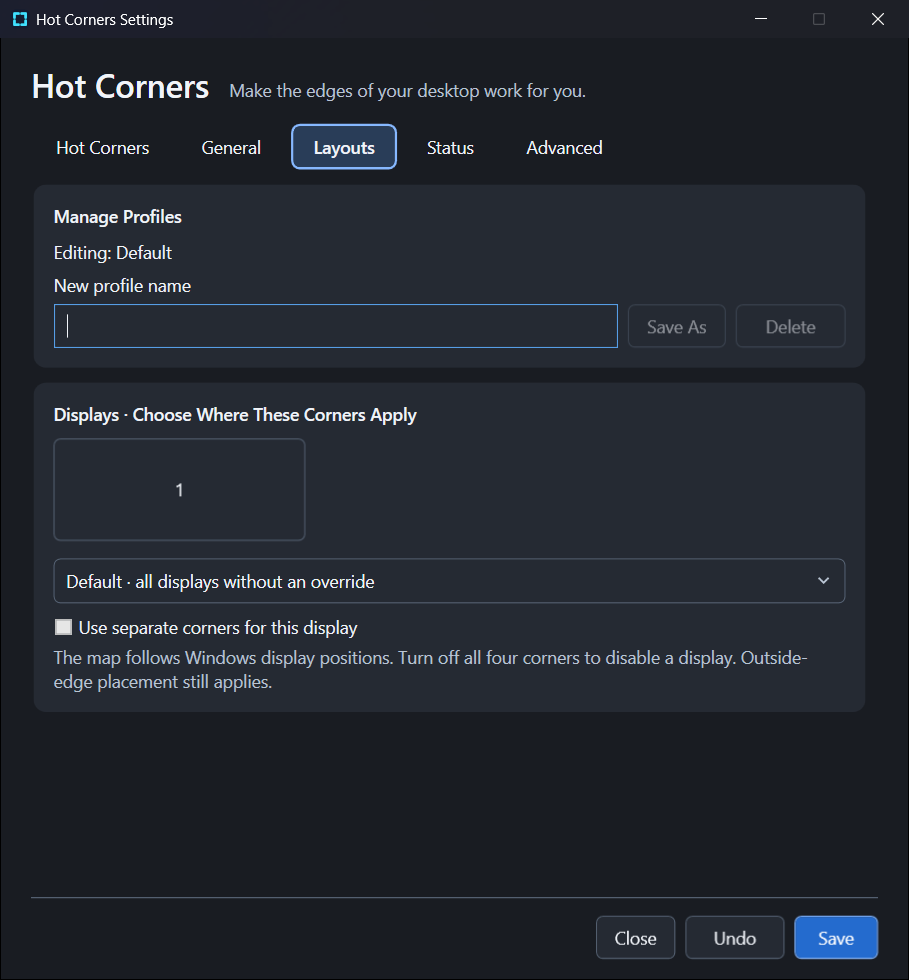
Keep named profiles and give individual displays their own corner assignments.
TRY BEFORE YOU COMMIT
Test Safely previews the action and dwell feedback for your current draft. Press Escape or the glowing Stop button when you’re done.
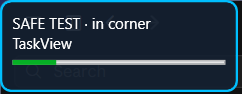 Dwell feedback
NOW IN PREVIEW
Version 1.0.0-preview.1 is a test build. The final 1.0.0 feature set is still being settled, so preview behavior can change.
Install this build once, then choose Preview in the tray’s update-channel menu for later previews. View release notes and checksums
BUILT TO STAY OUT OF YOUR WAY
Corner detection and settings work locally. The app asks for no account, no administrator access, and installs no Windows service. Optional update checks contact public GitHub releases.
SubZero Hot Corners is proprietary software. The preview is free to install and use; commercial use after the preview requires a license key. Read the preview license. For license questions, contact SubZeroDev.